What is an English to Arabic keyboard?
An English to Arabic keyboard lets you write Arabic script with the keys you already know. Instead of learning where ش sits on an Arabic layout, you type sh and get ش. It is the same idea as the way millions of people write Arabic in text messages, with Latin letters and a few digits standing in for sounds English does not have.
That informal spelling has a name. Wikipedia describes it this way:
“The Arabic chat alphabet, also known as Arabizi, Arabeezi, Arabeezy, Arabish, Franco-Arabic or simply Franco (from French: franco-arabe) refers to the romanized alphabets for informal Arabic dialects in which Arabic script is transcribed or encoded into a combination of Latin script and Western Arabic numerals.”
Our phonetic mode reads that kind of spelling and writes the Arabic letters for you. It is useful if you can speak or read some Arabic but have no Arabic keyboard, if you want to message a relative in Arabic script, or if you are learning and want to check how a word is spelled.
Behind the scenes, every letter it writes is a standard Unicode character from the Arabic block, so the result reads correctly on any device. The W3C explains how browsers then display it right to left.
Is it transliteration or translation?
Transliteration. This is the most important thing to know about any English to Arabic keyboard. It swaps letters, one for one; it does not know what words mean. Type ktab and you get كتاب ("book") because those are its sounds, not because the tool knows the English word "book". Type the English word book and you get بووك: four Arabic letters that spell nothing in Arabic.
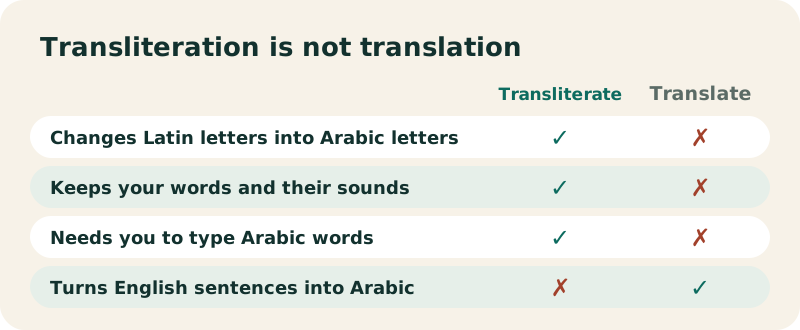
So the rule is simple: type Arabic words, spelled in Latin letters. If you want to turn an English sentence into Arabic, you need a translator. The Translate button under the text box opens Google Translate in a new tab, with your Arabic text, so you can check what you wrote means what you think.
How do you check the meaning of what you typed?
Press Translate: it opens Google Translate from Arabic to English in a new tab. If the translation looks odd, the spelling probably is: compare with the examples on this page or the Arabic alphabet.
In Arabic, the phrase "English to Arabic typing" usually means this kind of tool: typing in English letters to get Arabic script. It never means automatic translation.
How do you type Arabic with English letters on this page?
The tool at the top of the page is already in Phonetic mode. Click in the box and type. Each letter is converted the moment you type it, and the on-screen keys show the Latin letter that gives each Arabic letter, in the corner of the key.
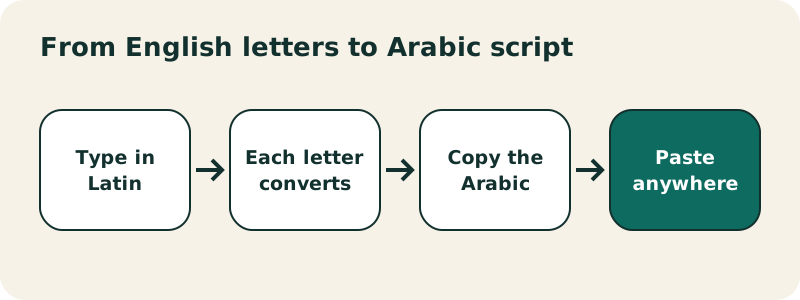
Computer, phone and on-screen keys
- On a computer, the conversion happens as you press each key, whatever your system layout is (QWERTY, AZERTY or other).
- On a phone, predictive keyboards send whole words at once. The tool converts the Latin word as soon as your keyboard hands it over, usually when you press space.
- Mixing modes: the on-screen keys always insert Arabic letters, even in Phonetic mode. Use them for letters with no phonetic shortcut, such as ة or ى.
Made a mistake? Backspace deletes the last Arabic letter, and Undo goes back step by step.
Which English letter gives which Arabic letter?
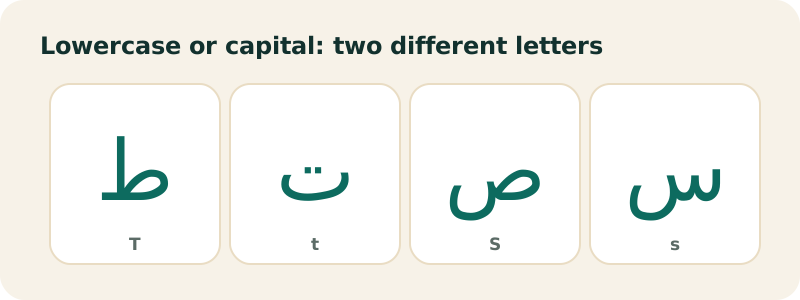
This table is printed from the same file the keyboard uses, so it always matches what the tool really does. Letters are case-sensitive where it matters: s and S are two different Arabic letters.
| You type | You get |
|---|---|
a | ا |
b | ب |
t | ت |
j | ج |
h | ه |
d | د |
r | ر |
z | ز |
s | س |
f | ف |
q | ق |
k | ك |
c | ك |
l | ل |
m | م |
n | ن |
w | و |
o | و |
u | و |
y | ي |
i | ي |
e | ي |
g | غ |
x | خ |
v | ڤ |
p | پ |
S | ص |
D | ض |
T | ط |
Z | ظ |
H | ح |
2 | ء |
3 | ع |
5 | خ |
7 | ح |
8 | غ |
9 | ق |
th | ث |
kh | خ |
dh | ذ |
sh | ش |
ch | ش |
gh | غ |
3' | غ |
7' | خ |
ou | و |
, ; ? | ، ؛ ؟ |
Letters that share a result
A few Latin letters share a result because English spellings vary: k, c give ك; w, o, u give و; y, i, e give ي; sh and ch both give ش.
Which Arabic letters match English sounds directly?
About half of the alphabet maps naturally onto English:
| Type | Arabic | Sound, as in English |
|---|---|---|
b | ب | b in bed |
t | ت | t in top |
j | ج | j in jam |
d | د | d in dog |
r | ر | a rolled r |
z | ز | z in zoo |
s | س | s in sun |
f | ف | f in fan |
k | ك | k in kite |
l | ل | l in lamp |
m | م | m in moon |
n | ن | n in net |
h | ه | h in hat |
w | و | w in wet, or long u |
y | ي | y in yes, or long i |
Two-letter combinations
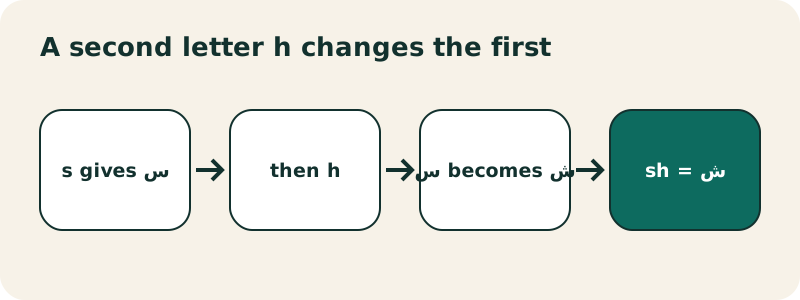
English writes some single sounds with two letters, and so does this keyboard. When you type h right after one of these letters, the first letter is replaced:
th→ ث (th in think),dh→ ذ (th in this)shorch→ ش (sh in ship)kh→ خ (ch in Scottish loch)gh→ غ (a gargled r, as in French Paris)
How do you type the sounds English does not have?
Arabic has several consonants with no English equivalent. Arabizi solves this with digits that look like the Arabic letter, and the keyboard follows the same habit.
Numbers as letters
| Type | Arabic | Why this digit |
|---|---|---|
2 | ء hamza | a glottal stop, the catch in uh-oh; 2 looks a bit like ء |
3 | ع ayn | 3 is a mirrored ع |
7 | ح ha | a breathy h from the throat; 7 resembles ح |
5 | خ kha | used in parts of the Gulf and Levant |
8 | غ ghayn | another regional habit |
9 | ق qaf | North African usage (see below) |
An apostrophe after 3 or 7 adds the dot, just like the Arabic letters: 3' gives غ and 7' gives خ.
Capital letters for the heavy consonants
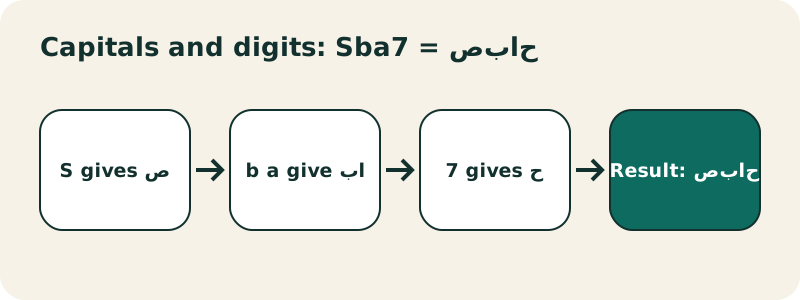
Arabic has "emphatic" versions of s, d, t and z, pronounced with the back of the tongue raised. A capital letter types them: S = ص, D = ض, T = ط, Z = ظ. A capital H is another way to type ح, if you prefer it to 7.
Why does 9 give ق and not ص?
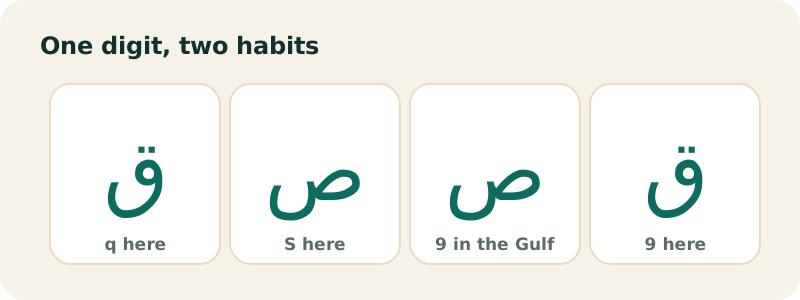
Because Arabizi is not one standard. It grew out of texting in each country, and the digits do not always mean the same letter. In North Africa (Morocco, Algeria, Tunisia), 9 usually stands for ق: "9alb" for heart, "m9ass" for scissors. In the Gulf and the Levant, many people use 9 for ص instead, as in "9aba7" for morning. Wikipedia's Arabic chat alphabet table lists 9 under both letters.
We picked the North African meaning for 9, and we give ص its own key: a capital S. So if you learned Arabizi in the Gulf or the Levant, type S where you would write 9:
| You mean | Gulf / Levant habit | Type here | Result |
|---|---|---|---|
| morning | 9ba7 | Sba7 | صباح |
| heart | galb / 2alb | 9lb or qlb | قلب |
| friend | 9adee8 | Sdyq | صديق |
The same goes for 5 and 8: they give خ and غ, but kh and gh work too, and they are easier to read back.
Why does salam come out as سالام?
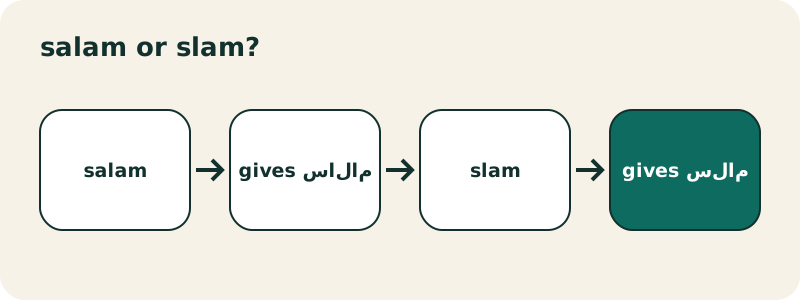
Because the conversion is letter by letter, and a Latin vowel always becomes a letter: a gives alif ا, i and e give ي, o and u give و. In Arabic, those letters write long vowels. Short vowels are normally not written at all, so a word like salam has only one alif, for the long a.
Which vowels should you keep?
- Keep long vowels: the a of salām, the i of ḥabībī, the u of mabrūk.
- Drop short vowels: the first a of salām, the a of marḥaba.
- When in doubt, check a dictionary that prints harakat, or the Arabic diacritics article for how short vowels work.
The fix is to type the word the way it is written in Arabic: consonants, plus the long vowels only. A good habit is to drop every vowel you would not stretch when you say the word.
| Word | Typed with all vowels | Typed the Arabic way | Correct spelling |
|---|---|---|---|
| peace | salam → سالام | slam | سلام |
| welcome | mar7aba → مارحابا | mr7ba | مرحبا |
| my darling | 7abibi → حابيبي | 7bibi | حبيبي |
| book | kitab → كيتاب | ktab | كتاب |
| Muhammad | mo7amed → موحاميد | m7md | محمد |
We chose not to guess vowels for you. A tool that silently drops some letters and keeps others would be right on common words and wrong on names, dialect words and anything new. Letter by letter is predictable: what you type is what you get.
Which everyday words can you try first?
Every example below was typed in the tool on this page. Copy the Latin spelling into the box and compare.
| Type | You get | Meaning |
|---|---|---|
slam | سلام | peace, hi |
ahla | اهلا | welcome (often written أهلا, with hamza: click أ on the keyboard) |
shkra | شكرا | thank you |
Sba7 | صباح | morning |
byt | بيت | house |
wrd | ورد | roses |
mbrok | مبروك | congratulations |
3rby | عربي | Arabic |
th3lb | ثعلب | fox |
ylla | يللا | let's go (also spelled يلا with a shadda) |
Spellings in dialect messages vary from person to person; these are common forms, not the only correct ones. For the letters themselves, Wikipedia's Arabic alphabet article gives the standard spellings.
How do you write your name in Arabic?
A name is transcribed, not translated: you write its sounds with Arabic letters. Arabic has no letters for p, v or the vowel in cat, and short vowels are not written, so one English name can have several reasonable spellings.
Four rules for names
- Names of Arabic origin already have an Arabic spelling. Use it: Mohammed, Muhammad and Mohamed are all محمد (
m7md). - English names: write what you hear.
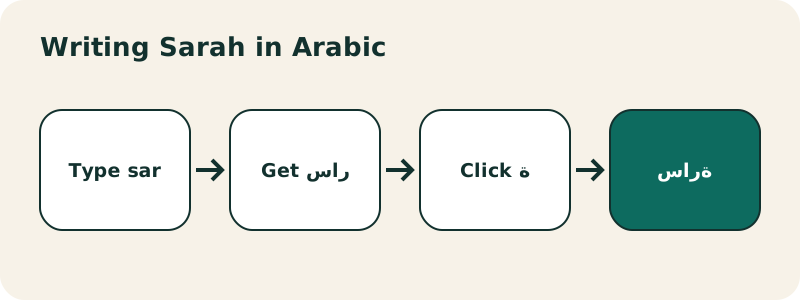
admgives ادم (usually آدم, with madda: click آ).jakgives جاك for Jack. - Names ending in -a or -ah, like Sarah or Fatima, usually end in ta marbuta ة. Type
sar, then click ة on the on-screen keyboard: سارة. - P and V: Arabic writes them as ب and ف. The tool also offers پ (
p) and ڤ (v), which some people use for foreign names.
If the result matters (a tattoo, a certificate, a gift), ask someone who reads Arabic to check it. Then turn it into an image with the Arabic calligraphy generator.
Phonetic mode or QWERTY layout: which should you learn?
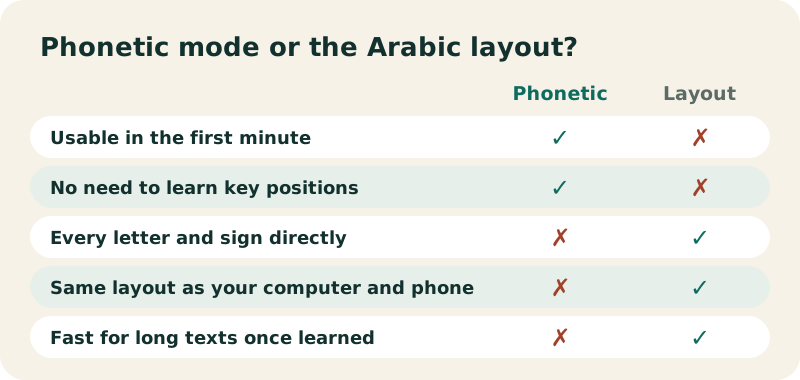
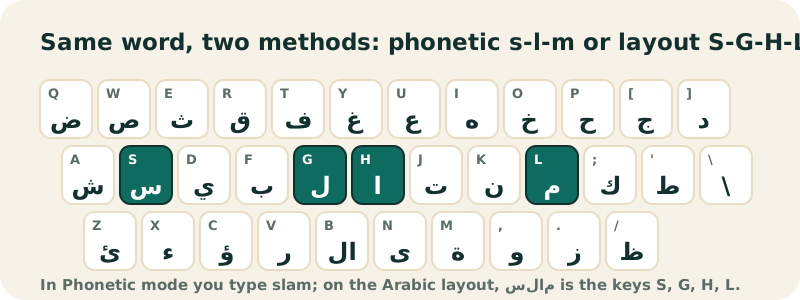
Phonetic mode is the quickest start: you are typing Arabic within a minute. Its limits are the ones above: no guessing of vowels, a few letters you must click, and spellings you need to know. The real Arabic layout, shown in QWERTY mode on the Arabic keyboard, takes a few days to learn, but it types every letter and sign directly and is the layout your computer and phone use once you add Arabic to them.
A practical path: use phonetic mode for messages now, and spend ten minutes a day on the Arabic typing test lessons. After a few weeks the layout becomes faster than transliteration.
Can you add harakat in phonetic mode?
Yes. Latin vowels always become long-vowel letters, so short vowels have to come from the Harakat row under the keyboard. Type the letter, then click fatha, damma, kasra, sukun or shadda. For example, ktab then a damma on ك and a fatha on ت gives كُتَاب. For full vowelling, the Arabic keyboard with harakat page explains every mark.
What are the limits of an English to Arabic keyboard?
- No vowel guessing. You choose which vowels to write. That is a feature, but it means you need to know the spelling.
- No translation. English words become meaningless Arabic letters.
- Hamza seats and final letters.
2gives a bare hamza ء. For أ إ ؤ ئ, ة or ى, click the on-screen key. - Dialects differ. Our digits follow the most widespread uses, with 9 = ق as in North Africa.
- Uppercase matters. If caps lock is on,
sturns into ص.
Within those limits, what you see is exactly what will paste: real Unicode Arabic text, readable on any device.
Is this the same as a formal transliteration system?
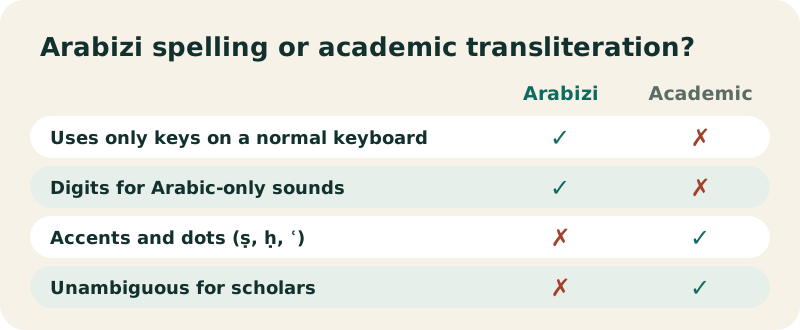
No. Scholars and libraries use systematic romanizations with special letters, such as ALA-LC (used by the Library of Congress) or DIN 31635, where ص is written ṣ and ع is ʿ. Those systems are designed to be read back without ambiguity, which is why they need dots and accents that are hard to type. Wikipedia describes the field this way:
“The romanization of Arabic is the systematic rendering of written and spoken Arabic in the Latin script.”
An English to Arabic keyboard goes the other way and favors keys you already have: digits and capitals instead of accents. It is closer to Arabizi chat spelling than to academic transliteration. If you copy a word from a textbook that uses ṣ or ḥ, type S or 7 for them.
Can you paste a whole Arabizi message and convert it?
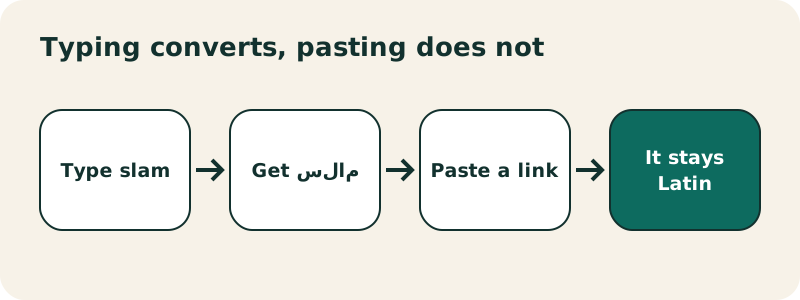
Not in the keyboard: pasted Latin text stays Latin, because conversion happens while you type, letter by letter. That is deliberate, so pasting an English address or a link into your Arabic text does not scramble it. To convert a message written in Arabizi, type it again in the box, or paste it into the Arabic calligraphy generator, which detects Latin text and offers a Convert to Arabic button with the same rules.
How do people write their dialect with English letters?
Arabizi is mostly used for spoken dialects, not for formal Arabic, and each region has habits. A few typical spellings, and how to type them here:
| Region | Arabizi as people write it | Type here | Arabic |
|---|---|---|---|
| Morocco | kifach | kifash | كيفاش |
| Egypt | 3amel eh | 3aml + eh | عامل يه |
| Levant | kifak | kifk | كيفك |
| Gulf | shlonik | shlonk | شلونك |
Dialect spelling is not standardized, in Latin or in Arabic script. Egyptians often write "eh" (what) as ايه, with an alif; type ayh for that. The keyboard simply writes what you type, so you stay in control of the spelling your readers expect.
Do you need a special keyboard on Windows or Mac to type in English letters?
For this page, no: it works with whatever layout your computer uses. Windows and macOS include Arabic layouts that type Arabic letters directly by key position, not by sound; there is no built-in setting that turns sh into ش. So if you like typing by sound, keep this page bookmarked, or add it to your home screen as a web app. If you prefer to type in every app, learn the real layout: our guides cover Windows, iPhone and Android.
Is your text kept private?
Yes. The conversion runs in your browser; nothing you type is sent to our servers. Only the buttons Google, YouTube, Translate and WhatsApp send your text, and only to the service you clicked, in a new tab. See the privacy policy.
Frequently asked questions
What is the best English to Arabic keyboard?
The one that matches how you write. If you text in Arabizi, a phonetic keyboard like this one is fastest. If you want to type every letter and sign, learn the real layout with QWERTY labels on our Arabic keyboard.
Does an English to Arabic keyboard translate?
No. It changes Latin letters into Arabic letters. Type Arabic words in Latin letters; English words will not become Arabic words.
How do I type ع with English letters?
Type 3. The digit 3 looks like a mirrored ع, which is why Arabizi uses it.
How do I type ح?
Type 7, or a capital H. A lowercase h gives ه.
Why does 9 give ق?
We follow the North African habit, where 9 stands for qaf. In the Gulf and the Levant 9 often means ص: type a capital S for that letter.
How do I type ة (ta marbuta)?
There is no Latin shortcut for it. Click ة on the on-screen keyboard, at the bottom right of the letter rows.
Why do I get extra alifs?
Each a becomes ا. Arabic leaves short vowels unwritten, so type slam, not salam, to get سلام.
Does it work on iPhone and Android?
Yes. Type with your phone's keyboard in the box: the Latin word is converted when your keyboard sends it, usually at each space.
Can I switch back to the Arabic layout?
Yes. Click Standard Arabic or QWERTY above the text box. Your text stays where it is.
Is English to Arabic typing free?
Yes, free, with no account and no download.
Related pages
Arabic keyboard — Free online Arabic keyboard: type Arabic with your QWERTY keyboard or by tapping the keys, then copy the text anywhere.
See also:
Sources
- Arabic chat alphabet — Wikipedia
- Romanization of Arabic — Wikipedia
- Arabic alphabet — Wikipedia
- Arabic diacritics — Wikipedia